Full of features you didn't know you needed.
Start with a Teams meeting where something was explained, upload an existing recording, or make a new one. Every feature below runs automatically to turn that explanation into produced video and written documentation people actually learn from.
All the visual clutter, gone
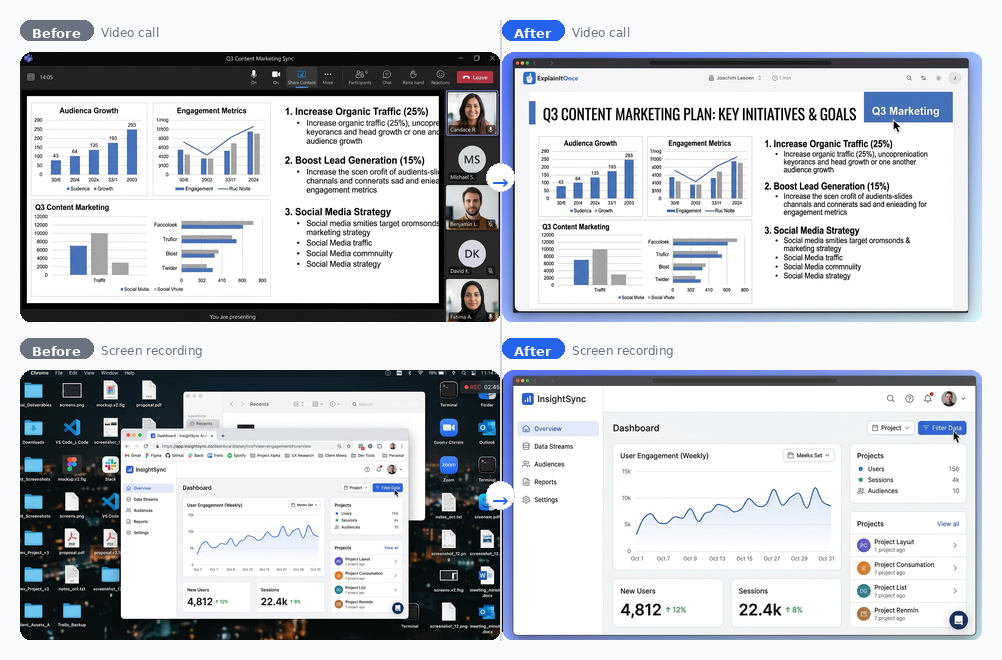
ExplainItOnce strips away every visual distraction: faces and meeting UI from video calls, bookmarks and desktop clutter from screen recordings. Only the content stays, on a beautiful background.
A voice people actually want to listen to
ExplainItOnce replaces the original voice with a native-sounding, engaging narrator. No ums, no accents, no background noise. Fluent narration with the right pacing and intonation that makes content compelling to listen to.
Not a minute longer than it needs to be
ExplainItOnce tightens the narration: filler words, stumbles, repetition, "can you see my screen?" moments, all gone. Grammar gets fixed, sentences get smoothed. Videos get noticeably shorter. The knowledge stays. The filler doesn't.
Documentation that nobody has to write
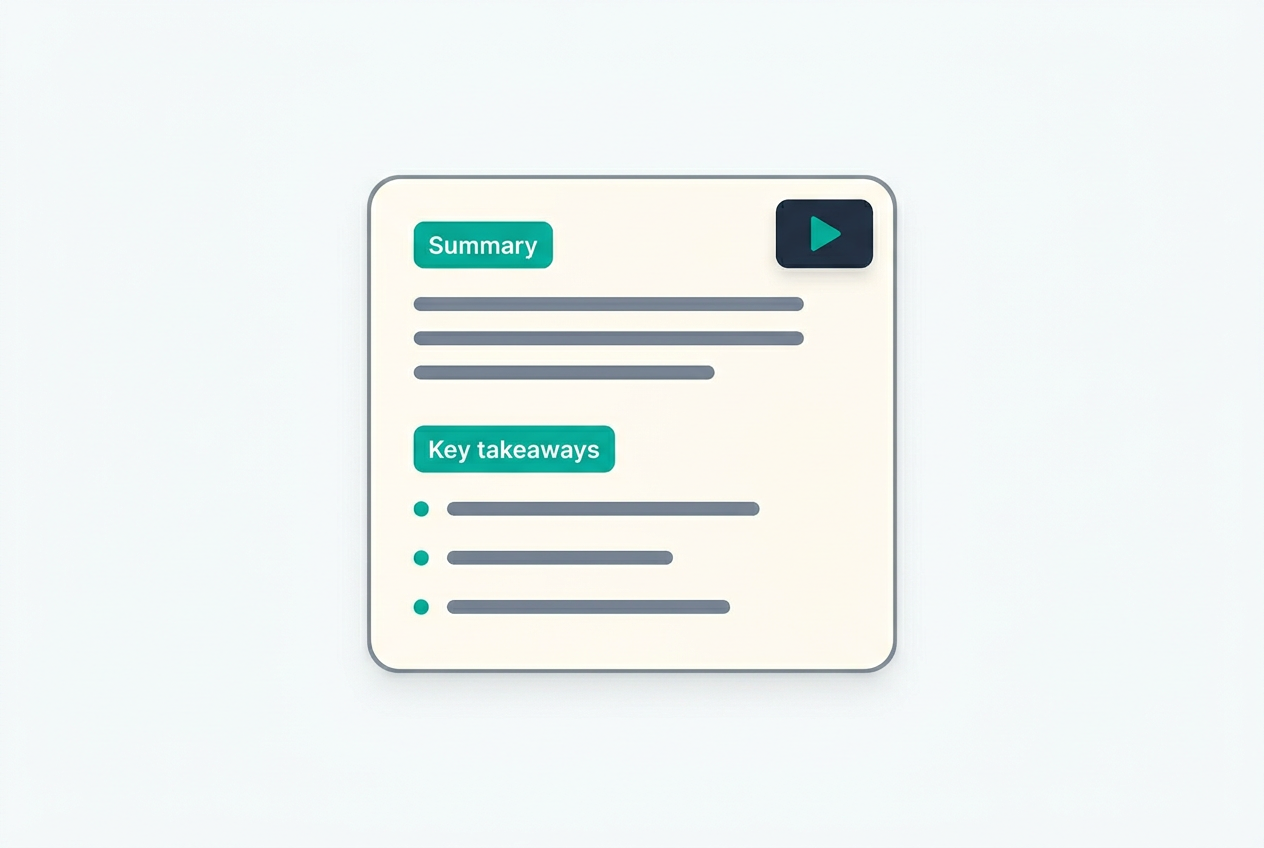
ExplainItOnce generates complete written documentation from the same rough recording. For client deliverables. For knowledge bases. For when someone comes back and just needs to find one step.
One click to AI context
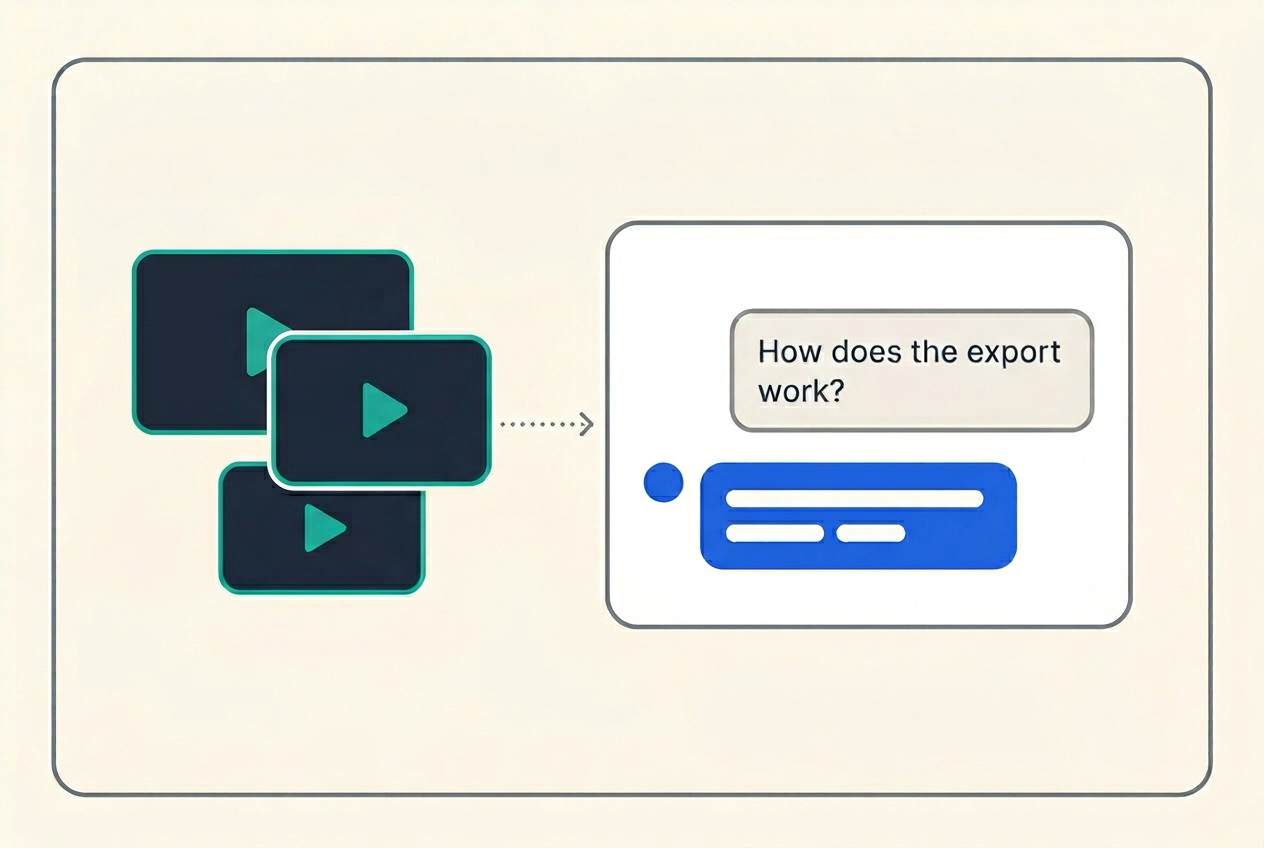
One click bundles any set of explanations into a context file you can feed to any AI system. Suddenly it can answer detailed questions about your tools, processes, and products. No manual documentation. Your explanations are the knowledge base.
Every language, just as fluent
ExplainItOnce can produce the full explanation in any of 45+ languages. Everything comes out in the target language. One recording, zero extra effort, compelling to learn from in any language.
Always ready to record
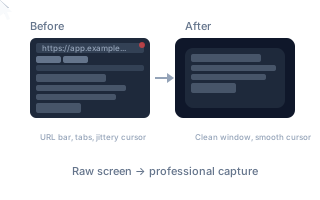
ExplainItOnce includes a built-in screen recorder as a Chrome extension. No extra license, no setup, always there when you need it. While you record, it smooths your cursor in real time, slowing it down so the unconscious mouse jiggery-pokery never makes it into the output. It captures only the content area. Upload to ExplainItOnce, and it handles the rest: clean background, new voice, documentation.
The summary your viewer would have written
ExplainItOnce extracts key takeaways from every explanation: the main points, scannable and to the point. The kind of summary someone would write after watching the video, except it's already there when they arrive. Quick reference for people who watched it before. A way in for people deciding whether to watch at all.
Did they actually get it?
ExplainItOnce generates comprehension questions from every explanation. Not generic quiz questions, but questions that check whether the viewer understood the specific knowledge that was shared. This closes the loop. It's the difference between "we sent it" and "they understood it."
The voice follows what happens on screen
A new voiceover is one thing. Making it match every action on screen is another. Clicks, slide transitions, page loads, navigation: the narration needs to land exactly when each one happens. Doing this manually means splitting every segment, matching every moment. ExplainItOnce does it automatically.
Ask your explanations anything
ExplainItOnce lets you extract AI input from any group of explanations and start asking questions. Which training explanations are no longer up to date after last month's product changes? How can we improve the structure of our sales demos? What topics are we missing compared to the competitor? What examples should we use next time? Your explanations become something you can interrogate, improve, and build on.
Cut the parts that don't belong
Something goes wrong during the recording? Just keep going and cut that section out afterwards. Video call starts with five minutes of "is everyone here?" Cut it. A tangent that went nowhere? Cut it. No video editing tools needed. You pick the start and end of what you want to remove, and it's gone. That simple.
Automated, but you're in control
AI narrators sometimes mispronounce product names, technical terms, or acronyms. Written documentation might spell them wrong. ExplainItOnce lets you correct how specific words are pronounced and written. Fix it once and it applies to every explanation from that point on.
You explain, you're done
No local tools, no licenses, no handovers to someone who has the right software. ExplainItOnce runs all the heavy processing on dedicated cloud servers. The person sharing knowledge uploads or records, and walks away. No blocked PC, no rendering overnight, no waiting until tomorrow. You explain it, you're done with it.
Built for teams that take security seriously
Your recordings contain internal tools, client data, and proprietary processes. We treat them accordingly. All processing and storage stays in the EU. AI systems are configured to never store or train on your content. Encryption in transit and at rest, user-level data isolation, enterprise SSO. Security isn't an afterthought here. It's how we built this.
Know enough to talk about it
Not everyone watches every explanation in full. ExplainItOnce generates a short audio briefing from a group of explanations: a podcast-style narrator that covers the key points in under 10% of the original time. Enough to know what was discussed, have an opinion at the coffee machine, and decide which explanations are worth watching in full. Listen on the go, in the car, between meetings. The content is already there. This just makes it reach the people who wouldn't have watched the whole thing.
All the visual clutter, gone
ExplainItOnce strips away every visual distraction: faces and meeting UI from video calls, bookmarks and desktop clutter from screen recordings. Only the content stays, on a beautiful background.
Not a minute longer than it needs to be
ExplainItOnce tightens the narration: filler words, stumbles, repetition, "can you see my screen?" moments, all gone. Grammar gets fixed, sentences get smoothed. Videos get noticeably shorter. The knowledge stays. The filler doesn't.
One click to AI context
One click bundles any set of explanations into a context file you can feed to any AI system. Suddenly it can answer detailed questions about your tools, processes, and products. No manual documentation. Your explanations are the knowledge base.
Always ready to record
ExplainItOnce includes a built-in screen recorder as a Chrome extension. No extra license, no setup, always there when you need it. While you record, it smooths your cursor in real time, slowing it down so the unconscious mouse jiggery-pokery never makes it into the output. It captures only the content area. Upload to ExplainItOnce, and it handles the rest: clean background, new voice, documentation.
Did they actually get it?
ExplainItOnce generates comprehension questions from every explanation. Not generic quiz questions, but questions that check whether the viewer understood the specific knowledge that was shared. This closes the loop. It's the difference between "we sent it" and "they understood it."
Ask your explanations anything
ExplainItOnce lets you extract AI input from any group of explanations and start asking questions. Which training explanations are no longer up to date after last month's product changes? How can we improve the structure of our sales demos? What topics are we missing compared to the competitor? What examples should we use next time? Your explanations become something you can interrogate, improve, and build on.
Automated, but you're in control
AI narrators sometimes mispronounce product names, technical terms, or acronyms. Written documentation might spell them wrong. ExplainItOnce lets you correct how specific words are pronounced and written. Fix it once and it applies to every explanation from that point on.
Built for teams that take security seriously
Your recordings contain internal tools, client data, and proprietary processes. We treat them accordingly. All processing and storage stays in the EU. AI systems are configured to never store or train on your content. Encryption in transit and at rest, user-level data isolation, enterprise SSO. Security isn't an afterthought here. It's how we built this.
A voice people actually want to listen to
ExplainItOnce replaces the original voice with a native-sounding, engaging narrator. No ums, no accents, no background noise. Fluent narration with the right pacing and intonation that makes content compelling to listen to.
Documentation that nobody has to write
ExplainItOnce generates complete written documentation from the same rough recording. For client deliverables. For knowledge bases. For when someone comes back and just needs to find one step.
Every language, just as fluent
ExplainItOnce can produce the full explanation in any of 45+ languages. Everything comes out in the target language. One recording, zero extra effort, compelling to learn from in any language.
The summary your viewer would have written
ExplainItOnce extracts key takeaways from every explanation: the main points, scannable and to the point. The kind of summary someone would write after watching the video, except it's already there when they arrive. Quick reference for people who watched it before. A way in for people deciding whether to watch at all.
The voice follows what happens on screen
A new voiceover is one thing. Making it match every action on screen is another. Clicks, slide transitions, page loads, navigation: the narration needs to land exactly when each one happens. Doing this manually means splitting every segment, matching every moment. ExplainItOnce does it automatically.
Cut the parts that don't belong
Something goes wrong during the recording? Just keep going and cut that section out afterwards. Video call starts with five minutes of "is everyone here?" Cut it. A tangent that went nowhere? Cut it. No video editing tools needed. You pick the start and end of what you want to remove, and it's gone. That simple.
You explain, you're done
No local tools, no licenses, no handovers to someone who has the right software. ExplainItOnce runs all the heavy processing on dedicated cloud servers. The person sharing knowledge uploads or records, and walks away. No blocked PC, no rendering overnight, no waiting until tomorrow. You explain it, you're done with it.
Know enough to talk about it
Not everyone watches every explanation in full. ExplainItOnce generates a short audio briefing from a group of explanations: a podcast-style narrator that covers the key points in under 10% of the original time. Enough to know what was discussed, have an opinion at the coffee machine, and decide which explanations are worth watching in full. Listen on the go, in the car, between meetings. The content is already there. This just makes it reach the people who wouldn't have watched the whole thing.
All the visual clutter, gone
ExplainItOnce strips away every visual distraction: faces and meeting UI from video calls, bookmarks and desktop clutter from screen recordings. Only the content stays, on a beautiful background.
Documentation that nobody has to write
ExplainItOnce generates complete written documentation from the same rough recording. For client deliverables. For knowledge bases. For when someone comes back and just needs to find one step.
Always ready to record
ExplainItOnce includes a built-in screen recorder as a Chrome extension. No extra license, no setup, always there when you need it. While you record, it smooths your cursor in real time, slowing it down so the unconscious mouse jiggery-pokery never makes it into the output. It captures only the content area. Upload to ExplainItOnce, and it handles the rest: clean background, new voice, documentation.
The voice follows what happens on screen
A new voiceover is one thing. Making it match every action on screen is another. Clicks, slide transitions, page loads, navigation: the narration needs to land exactly when each one happens. Doing this manually means splitting every segment, matching every moment. ExplainItOnce does it automatically.
Automated, but you're in control
AI narrators sometimes mispronounce product names, technical terms, or acronyms. Written documentation might spell them wrong. ExplainItOnce lets you correct how specific words are pronounced and written. Fix it once and it applies to every explanation from that point on.
Know enough to talk about it
Not everyone watches every explanation in full. ExplainItOnce generates a short audio briefing from a group of explanations: a podcast-style narrator that covers the key points in under 10% of the original time. Enough to know what was discussed, have an opinion at the coffee machine, and decide which explanations are worth watching in full. Listen on the go, in the car, between meetings. The content is already there. This just makes it reach the people who wouldn't have watched the whole thing.
A voice people actually want to listen to
ExplainItOnce replaces the original voice with a native-sounding, engaging narrator. No ums, no accents, no background noise. Fluent narration with the right pacing and intonation that makes content compelling to listen to.
One click to AI context
One click bundles any set of explanations into a context file you can feed to any AI system. Suddenly it can answer detailed questions about your tools, processes, and products. No manual documentation. Your explanations are the knowledge base.
The summary your viewer would have written
ExplainItOnce extracts key takeaways from every explanation: the main points, scannable and to the point. The kind of summary someone would write after watching the video, except it's already there when they arrive. Quick reference for people who watched it before. A way in for people deciding whether to watch at all.
Ask your explanations anything
ExplainItOnce lets you extract AI input from any group of explanations and start asking questions. Which training explanations are no longer up to date after last month's product changes? How can we improve the structure of our sales demos? What topics are we missing compared to the competitor? What examples should we use next time? Your explanations become something you can interrogate, improve, and build on.
You explain, you're done
No local tools, no licenses, no handovers to someone who has the right software. ExplainItOnce runs all the heavy processing on dedicated cloud servers. The person sharing knowledge uploads or records, and walks away. No blocked PC, no rendering overnight, no waiting until tomorrow. You explain it, you're done with it.
Not a minute longer than it needs to be
ExplainItOnce tightens the narration: filler words, stumbles, repetition, "can you see my screen?" moments, all gone. Grammar gets fixed, sentences get smoothed. Videos get noticeably shorter. The knowledge stays. The filler doesn't.
Every language, just as fluent
ExplainItOnce can produce the full explanation in any of 45+ languages. Everything comes out in the target language. One recording, zero extra effort, compelling to learn from in any language.
Did they actually get it?
ExplainItOnce generates comprehension questions from every explanation. Not generic quiz questions, but questions that check whether the viewer understood the specific knowledge that was shared. This closes the loop. It's the difference between "we sent it" and "they understood it."
Cut the parts that don't belong
Something goes wrong during the recording? Just keep going and cut that section out afterwards. Video call starts with five minutes of "is everyone here?" Cut it. A tangent that went nowhere? Cut it. No video editing tools needed. You pick the start and end of what you want to remove, and it's gone. That simple.
Built for teams that take security seriously
Your recordings contain internal tools, client data, and proprietary processes. We treat them accordingly. All processing and storage stays in the EU. AI systems are configured to never store or train on your content. Encryption in transit and at rest, user-level data isolation, enterprise SSO. Security isn't an afterthought here. It's how we built this.
This list is growing. Every few weeks, new features ship.
See what your knowledge looks like when it's compelling to learn from.
5 free minutes. No credit card required.